Introduction
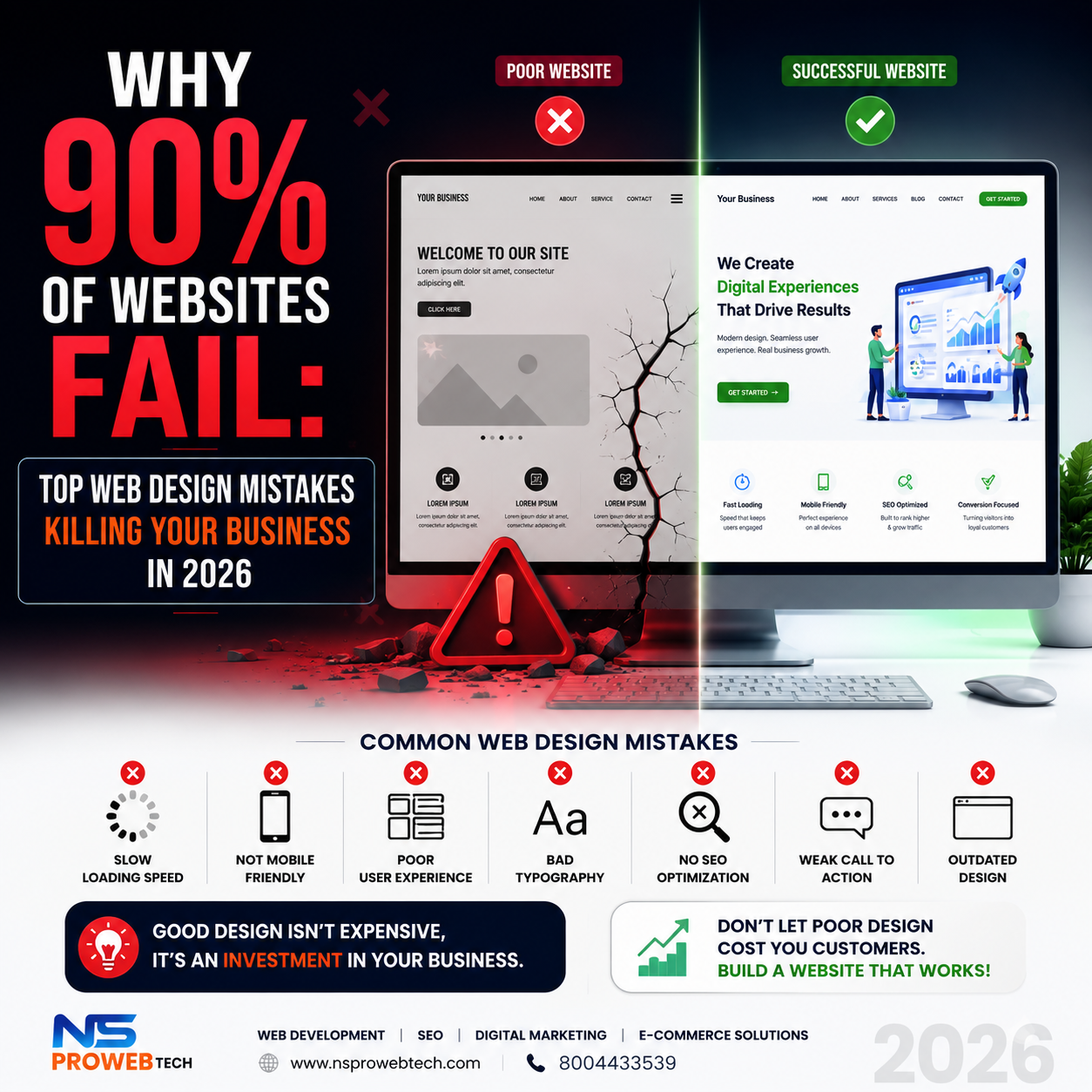
Did you know that 90% of websites fail to convert visitors into customers? Most business owners blame their products, pricing, or competitors. But the real culprit is often hiding in plain sight: their website design.
At NSproWebtech, we've audited over 100+ business websites in Prayagraj and across India. We've seen the same mistakes repeated again and again—mistakes that are killing sales, losing trust, and driving customers to competitors.
In this guide, we'll reveal the top 10 web design mistakes destroying your conversions and show you exactly how to fix them.
Mistake #1: Slow Loading Speed
The average website takes over 3 seconds to load. The problem? 79% of shoppers won't return to a slow website.
Why it kills conversions: Google penalizes slow sites. Users leave before seeing your offer.
How to fix it:
- Compress images to under 200KB
- Use WebP format instead of JPG/PNG
- Enable caching on your server
- Use a CDN like Cloudflare (free plan available)
- Test your speed on GTmetrix (aim for 85+ score)
Mistake #2: Not Mobile-Friendly
Over 60% of all web traffic comes from mobile devices. Yet, 45% of small business websites are still not mobile-responsive.
Why it kills conversions: Users pinch, zoom, and struggle to click buttons. They leave frustrated and never return.
How to fix it:
- Use responsive design (not separate mobile site)
- Ensure buttons are at least 44×44px for touch
- Test on actual phones, not just emulators
- Check mobile usability in Google Search Console
Mistake #3: Poor Navigation & Complicated Menus
If users can't find what they're looking for in 3 clicks or less, they'll leave.
Why it kills conversions: Frustrated users give up and go to competitors.
How to fix it:
- Limit menu items to 5-7 options
- Use clear, descriptive labels (not "Products" but "Web Design Services")
- Include a search bar for larger sites
- Add breadcrumbs for easy navigation
Mistake #4: No Clear Call-to-Action (CTA)
You've got their attention. Now what? 70% of small business websites lack clear CTAs.
Why it kills conversions: Visitors don't know what to do next. They leave without taking action.
How to fix it:
- Use action-oriented text ("Get Free Quote" not "Submit")
- Make buttons contrast with background
- Place CTAs above the fold (visible without scrolling)
- Use 2-3 CTAs per page (primary + secondary)
Mistake #5: Too Many Popups
Popups can generate leads, but over 70% of users hate interruptive popups.
Why it kills conversions: Users get annoyed and close your entire site.
How to fix it:
- Use exit-intent popups (show when leaving)
- Delay popups by 10-15 seconds
- Make them easy to close (visible X button)
- Never show popups on mobile immediately
Mistake #6: Poor Typography & Readability
If your text is hard to read, 38% of users will stop engaging.
Why it kills conversions: Eye strain leads to early exit.
How to fix it:
- Use font size at least 16px for body text
- Maintain line height of 1.5-1.6
- Limit text width to 60-75 characters per line
- Use high contrast (dark text on light background)
- Limit to 2-3 fonts maximum
Mistake #7: No Social Proof
92% of consumers read online reviews before purchasing. Without social proof, trust is low.
Why it kills conversions: Visitors don't trust you.
How to fix it:
- Display Google reviews prominently
- Add client logos (trust badges)
- Show testimonials with real names and photos
- Display case studies and results
- Show total projects completed (e.g., "100+ websites delivered")
Mistake #8: Weak Above-the-Fold Content
You have 3-5 seconds to capture attention. What users see first determines if they stay or leave.
Why it kills conversions: No hook means no engagement.
How to fix it:
- Lead with a clear headline (what do you do?)
- Add a subheadline (what's in it for them?)
- Include a primary CTA button
- Add a hero image or video
- Mention your unique value proposition
Mistake #9: Inconsistent Branding
Your brand should be instantly recognizable. Inconsistent branding lowers trust by 40%.
Why it kills conversions: Visitors think you're unprofessional.
How to fix it:
- Use consistent colors across all pages
- Use the same logo everywhere
- Maintain consistent button styles
- Keep tone of voice consistent (formal vs casual)
- Create a brand style guide
Mistake #10: No SEO Optimization
You can have the most beautiful website in the world, but if nobody finds it, it's useless.
Why it kills conversions: Zero traffic = zero customers.
How to fix it:
- Add meta titles and descriptions to every page
- Use proper heading tags (H1, H2, H3)
- Add alt text to all images
- Create SEO-friendly URLs (no /page123?id=456)
- Submit sitemap to Google Search Console
Website Design Checklist 2026
| Element | Status | Priority |
|---|---|---|
| Loads under 3 seconds | ☐ | High |
| Mobile responsive | ☐ | High |
| Clear navigation (3-click rule) | ☐ | High |
| Visible CTA buttons | ☐ | High |
| Popups not intrusive | ☐ | Medium |
| Readable fonts (16px+) | ☐ | High |
| Social proof displayed | ☐ | Medium |
| Strong above-the-fold | ☐ | High |
| Consistent branding | ☐ | Medium |
| SEO optimized | ☐ | High |
Real Results: Before & After
Client: A retail store in Civil Lines, Prayagraj
Problems found in audit:
- 8-second load time ❌
- Not mobile-responsive ❌
- No CTAs ❌
- No social proof ❌
What we fixed:
- Compressed images → 2-second load time ✅
- Responsive redesign ✅
- Added clear CTAs ✅
- Added Google reviews section ✅
Results within 3 months:
- 📈 Website traffic increased 180%
- 📞 Inquiries increased 250%
- 💰 Online sales increased 150%
How NSproWebtech Can Help Fix Your Website
At NSproWebtech, we don't just build websites—we build conversion machines. Our web design services include:
- Website Audit: We identify all issues killing your conversions
- Redesign: Modern, mobile-friendly, SEO-optimized design
- Speed Optimization: Get your site under 2 seconds load time
- Ongoing Support: We're always here to help
Ready to Fix Your Website Today?
Stop losing customers to bad web design. Get a professional website that converts visitors into paying customers.
👉 Get a FREE Website Audit from NSproWebtech
Phone: +91 80044 33539
Email: nsprowebtech@gmail.com
Location: Civil Lines, Prayagraj
Frequently Asked Questions
How much does a website redesign cost?
Website redesign starts from ₹20,000. Contact us for a custom quote based on your needs.
How long does a website audit take?
We deliver comprehensive website audits within 3-5 business days.
Can you fix my existing website?
Yes! We offer website fixing and redesign services for existing sites.